
Building my photos web site with CubicWeb part III: storing images on the file-system
Step 1: configuring the BytesFileSystem storage
To avoid cluttering my database, and to ease file manipulation, I don't want them to be stored in the database. I want to be able create File/Image entities for some files on the server file system, where those file will be accessed to get entities data. To do so, I've to set a custom BytesFileSystemStorage storage for the File/Image 'data' attribute, which holds the actual file's content.
Since the function to register a custom storage needs to have a repository instance as a first argument, we have to call it in a server startup hook. So I added it in cubes/sytweb/hooks.py :
from os import makedirs
from os.path import join, existsfrom cubicweb.server import hook
from cubicweb.server.sources import storageclass ServerStartupHook(hook.Hook):
regid = 'sytweb.serverstartup'
events = ('server_startup', 'server_maintenance')def call(self):
bfssdir = join(self.repo.config.appdatahome, 'bfss')
if not exists(bfssdir):
makedirs(bfssdir)
print 'created', bfssdir
storage = storages.BytesFileSystemStorage(bfssdir)
set_attribute_storage(self.repo, 'File', 'data', storage)
set_attribute_storage(self.repo, 'Image', 'data', storage)
Note
- how we built the hook's registry identifier (regid_): you can introduce 'namespaces' by using their python module like naming identifiers. This is especially important for hooks where you usually want a new custom hook, not overriding / specializing an existent one, but the concept may be used for any application objects
- we catch two events here: "server_startup" and "server_maintenance". The first is called on regular repository startup (eg, as a server), the other for maintenance task such as shell or upgrade. In both cases, we need to have the storage set, else we'll be in trouble...
- the path given to the storage is the place where a file added through the ui (or in the database before migration) will be located
- be aware that by doing this, you can't write queries that will try to restrict on the File and the Image data attribute anymore. Thankfully we don't usually do that on a file's content or more generally on attributes for the Bytes type
Now, if you've already added some photos through the web ui, you'll have to migrate existing data so that the file's content will be stored on the file-system instead of the database. There is a migration command to do so, let's run it in the cubicweb shell (in actual life, you'd have to put it in a migration script as we saw last time):
$ cubicweb-ctl shell sytweb
entering the migration python shell
just type migration commands or arbitrary python code and type ENTER to execute it
type "exit" or Ctrl-D to quit the shell and resume operation
>>> storage_changed('File', 'data')
[........................]
>>> storage_changed('Image', 'data')
[........................]
That's it. Now, the files added through the web ui will have their content stored on the file-system, and you'll also be able to import files from the file-system as explained in the next part.
Step 2: importing some data into the instance
Hey, we're starting to have some nice features, let's give this new web site a try. For instance if I have a 'photos/201005WePyrenees' containing pictures for a particular event, I can import it to my web site by typing
$ cubicweb-ctl fsimport -F sytweb photos/201005WePyrenees/
** importing directory /home/syt/photos/201005WePyrenees
importing IMG_8314.JPG
importing IMG_8274.JPG
importing IMG_8286.JPG
importing IMG_8308.JPG
importing IMG_8304.JPG
Note
The -F option tell that folders should be mapped, hence my photos will be all under a Folder entity corresponding to the file-system folder.
Let's take a look at the web ui:
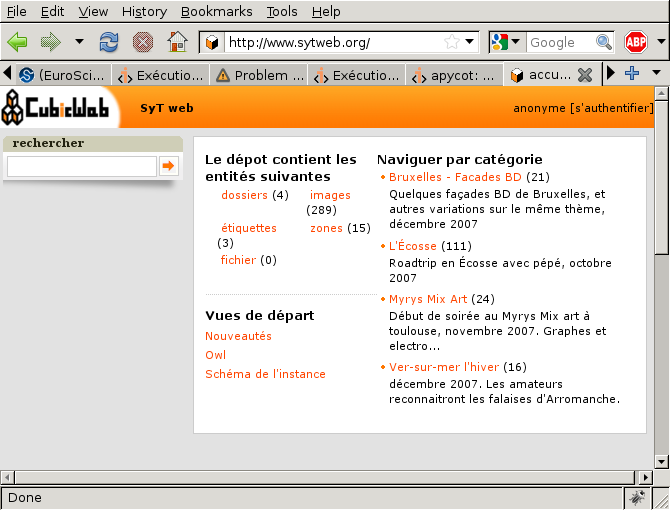
Nothing different, I can't see the new folder... But remember our security model! By default, files are only accessible to authenticated users, and I'm looking at the site as anonymous, e.g. not authenticated. If I login, I can now see:
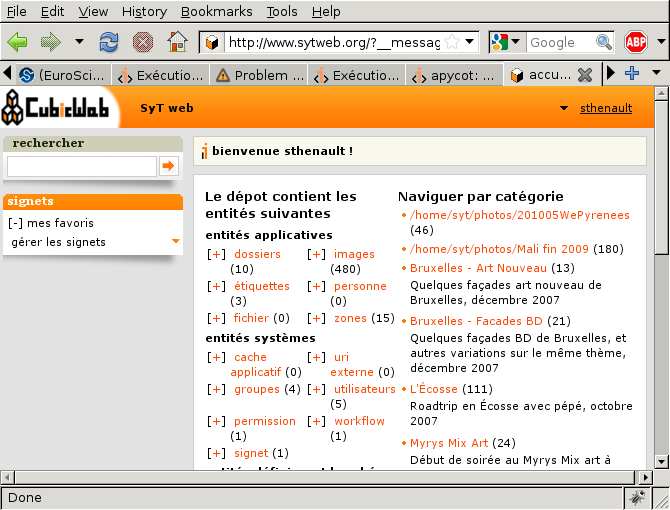
Yeah, it's there! You can also notice that I can see some entities as well as folders and images the anonymous users can't. It just works everywhere in the ui since it's handled at the repository level, thanks to our security model.
Now if I click on the newly inserted folder, I can see
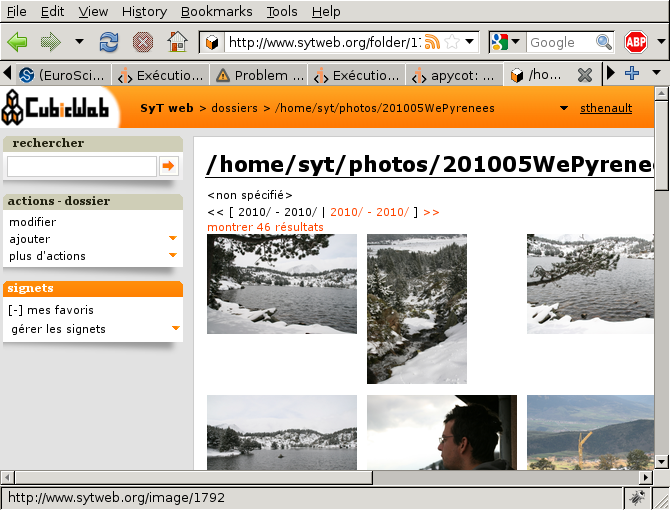
Great! I get my pictures in the folder. I can now give a nicer name to this folder (provided I don't intend to import from it anymore, else already imported photos will be reimported), change permissions, title for some pictures, etc... Having good content is much more difficult than having a good web site ;)
Conclusion
We started to see here an advanced feature of our repository: the ability to store some parts of our data-model into a custom storage, outside the database. There is currently only the BytesFileSystemStorage available, but you can expect to see more coming in a near future.
Also, we can now start to feed our web-site with some nice pictures! The site isn't perfect (far from it actually) but it's usable, and we can start using it and improve it on the way. The Incremental Cubic Way :)
So see you next time to start tweaking the user interface!
